Streamlining STYLY Studio Testing with Browser Automation
This article is a translated version of my original post on Qiita. Original (Japanese): https://qiita.com/segur/items/086f3e9cd45114926f71
Streamlining STYLY Studio Testing with Browser Automation
This article introduces an attempt to automate GUI testing for STYLY Studio.
For those who prefer videos over text, we have a video explaining the same content:
Note: This is an archive of a presentation given at the XR Study Group by STYLY on October 28, 2022.
What is STYLY Studio?
STYLY Studio is a web application that enables you to create 3D spaces.
- https://gallery.styly.cc/
It uses WebGL for 3D rendering and React to develop the material library section.
If you're curious about how this tool works, check out this video!
About GUI Testing
Some of the GUI tests for STYLY Studio are automated using two tools: Puppeteer and SikuliX.
Here's how we differentiate their use:
| Tool | UI for Testing |
|---|---|
| Puppeteer | Used for GUI testing React parts |
| SikuliX | Used for GUI testing WebGL parts |
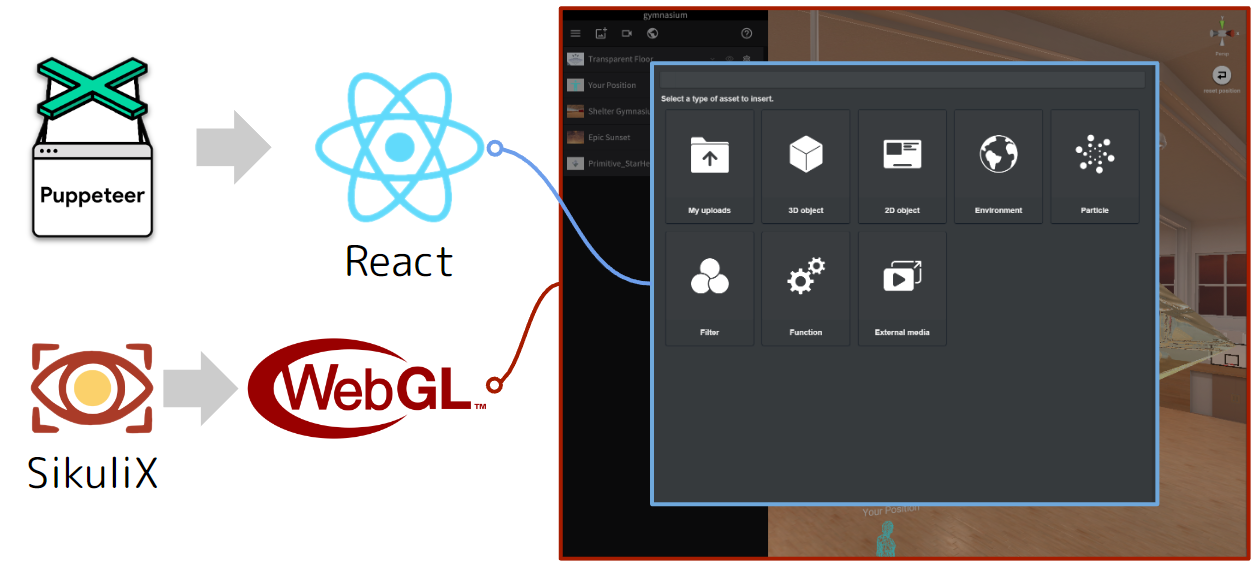
Puppeteer isn't great at detecting WebGL UI, so we cover that part with SikuliX.
Automating GUI Tests with Puppeteer

The React parts are automated using Puppeteer for GUI testing.
Here is an overview of the library structure:
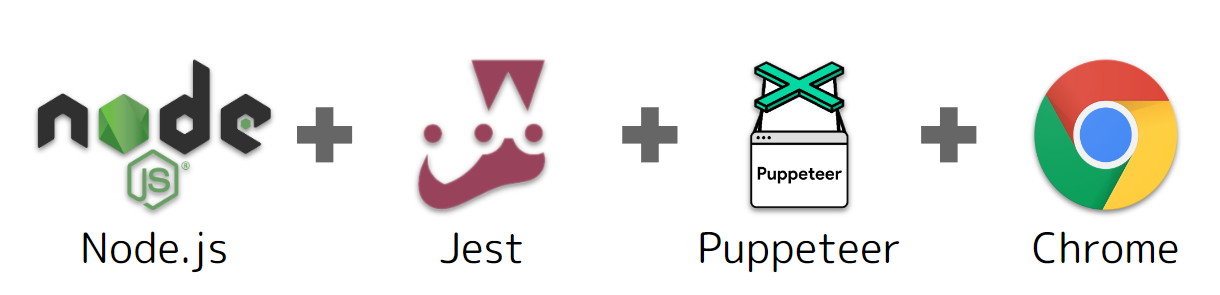
Below is a sample code snippet:
/**
 * Verifies the header title string
 * @param page The page
 * @param headerTitle The expected string
 */
export async function assertHeaderTitle(page: Page, headerTitle: string) {
  const $header = await page.$('.header')
  if (!$header) {
    throw Error('Could not find an element with the class "header"')
  }

  const value = await $header.evaluate((el) => el.textContent)
  await expect(value).toEqual(headerTitle)
}
You can specify the DOM using CSS selector-like notation such as .header, making it very user-friendly for web engineers!
However, it's difficult to specify WebGL UI components.
Automating GUI Tests with SikuliX

The WebGL parts are automated with SikuliX for GUI testing.
SikuliX is a tool that can automate not only browser operations but also PC operations in general. It identifies UI components using image recognition.
This allows you to automate operations even in WebGL applications!
However, since UI components are identified through image recognition, any appearance change in the UI can break the automation process. This results in high maintenance costs.
Current Configuration
Due to the high maintenance cost of automating GUI tests, we currently focus on enhancing unit tests which are relatively resilient to specification changes.
(If you have better methods, please share your opinions or suggestions in the comments.)
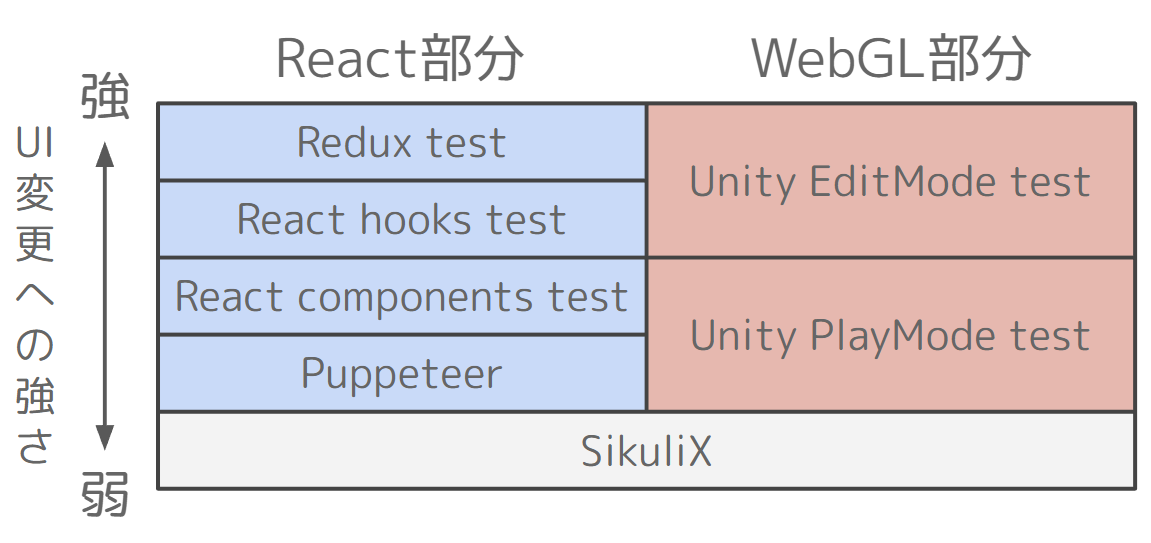
Note: WebGL components are developed using Unity, hence TestRunner is utilized.
In Closing
The development of the automated GUI testing framework mentioned in this article was supported by @uechan16 and Mr. N.
Additionally, Umi-san wrote an article covering this presentation! https://note.com/styly_note/n/na13642de55fa
I would like to take this opportunity to express my gratitude. Thank you!