Reflecting Room Brightness in Materials with Apple Vision Pro
This article is a translated version of my original post on Qiita. Original (Japanese): https://qiita.com/segur/items/1387a4a406b507c0b78a
Reflecting Room Brightness in Materials with Apple Vision Pro
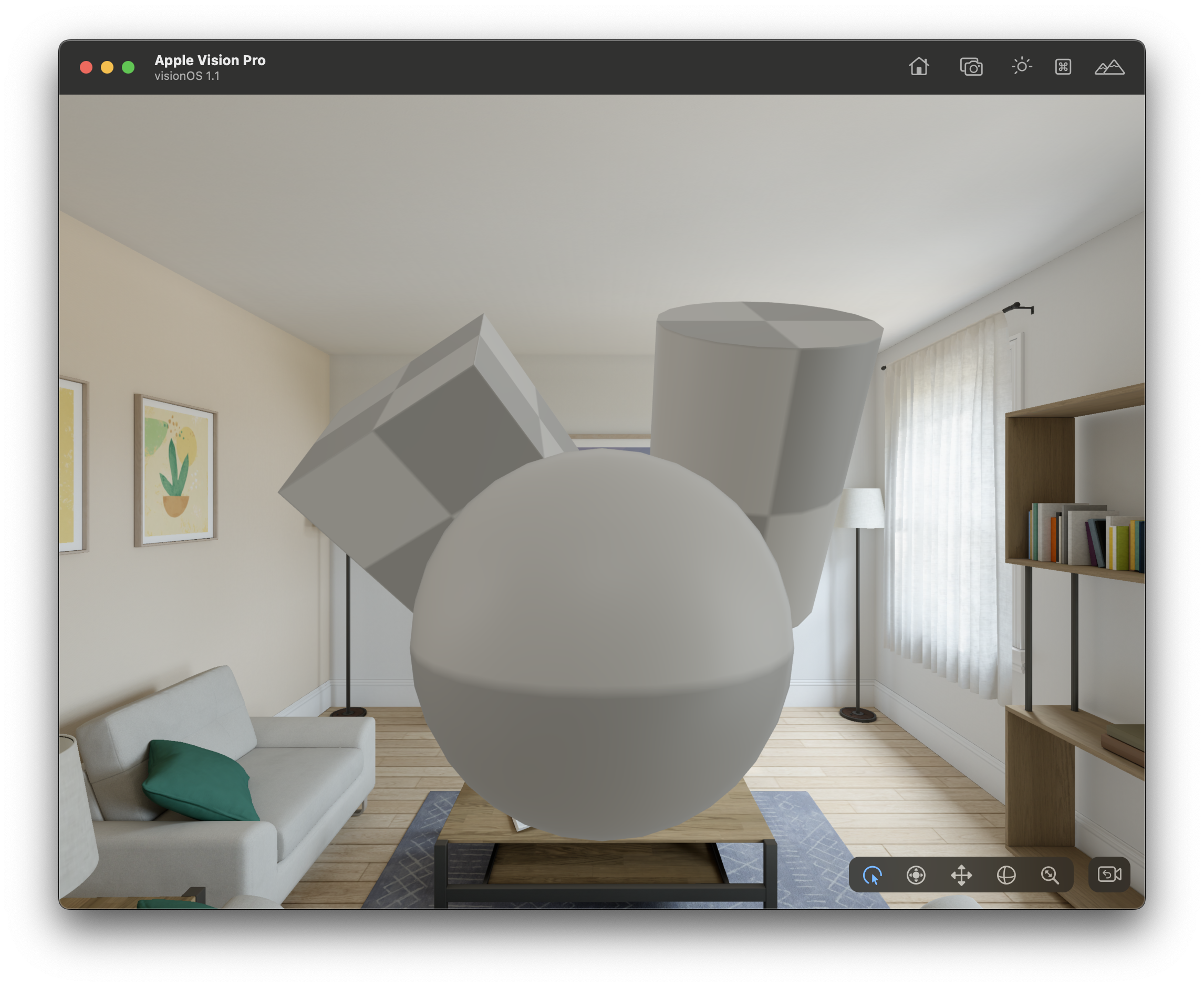
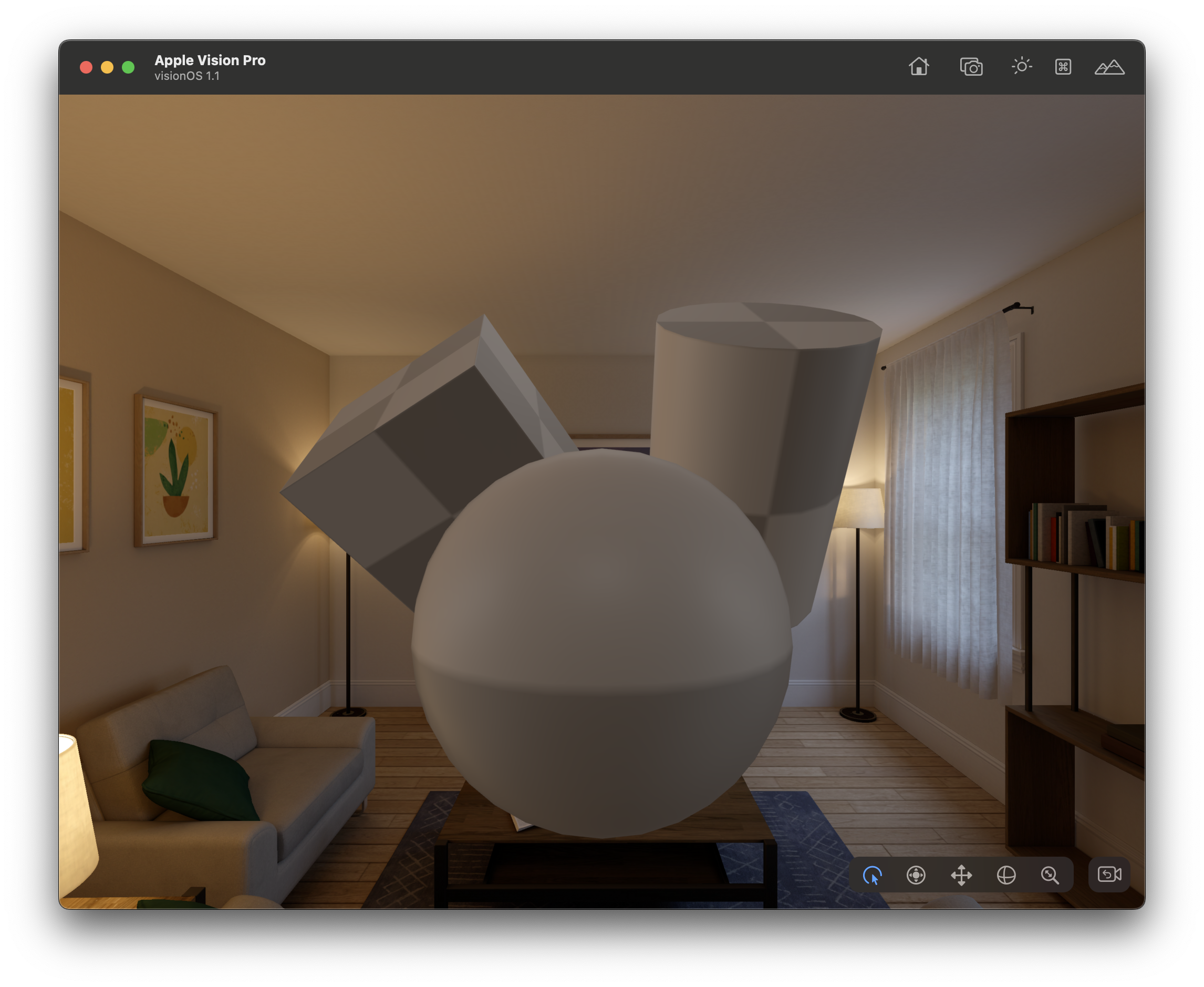
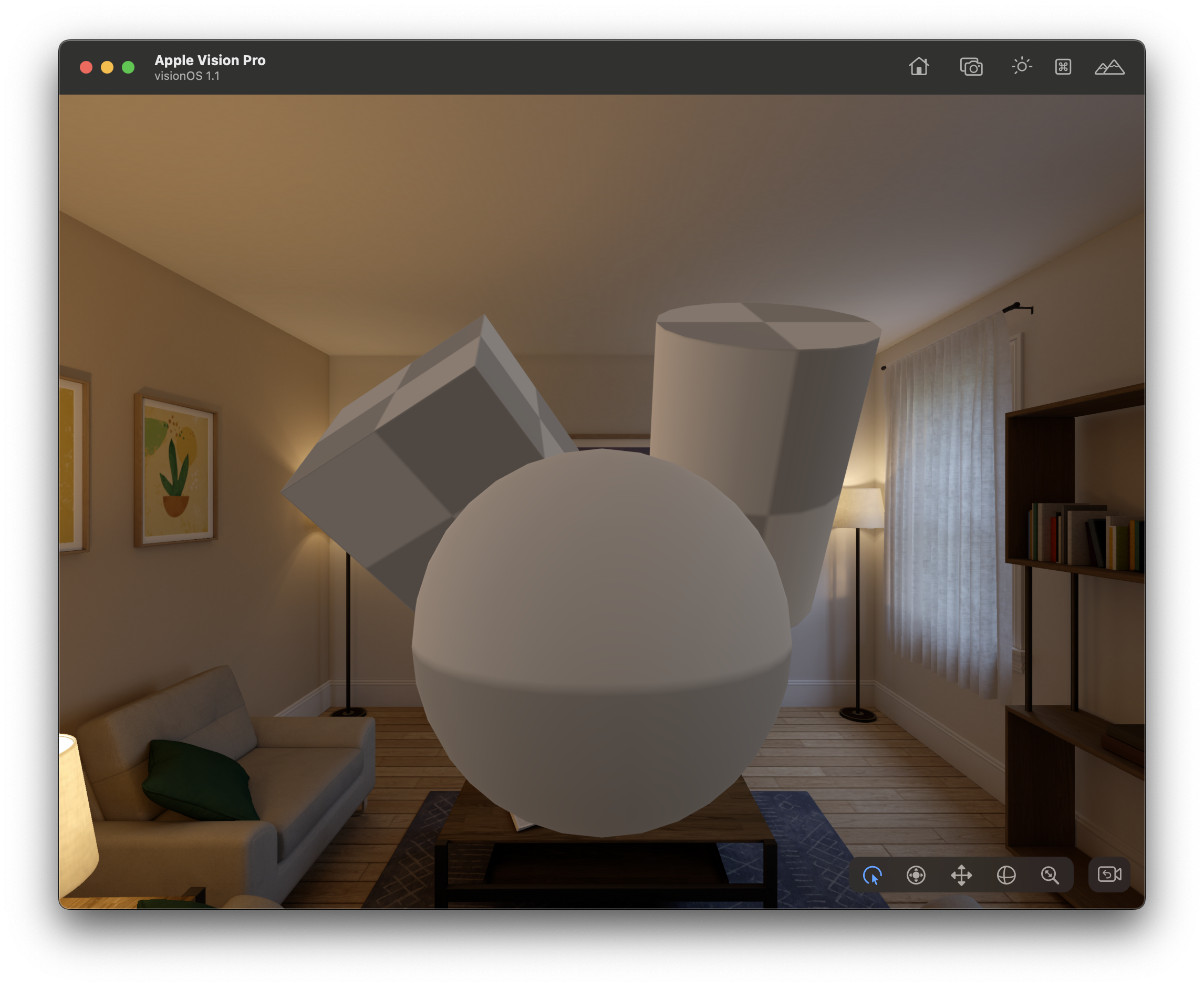
In visionOS, using the URP Lit shader allows material brightness to change based on the room's light level. This feature is available on Apple Vision Pro as well—convenient indeed!
 |
 |
|---|---|
| In a bright room, the Lit shader makes the material appear brighter | In a dark room, the material appears darker |
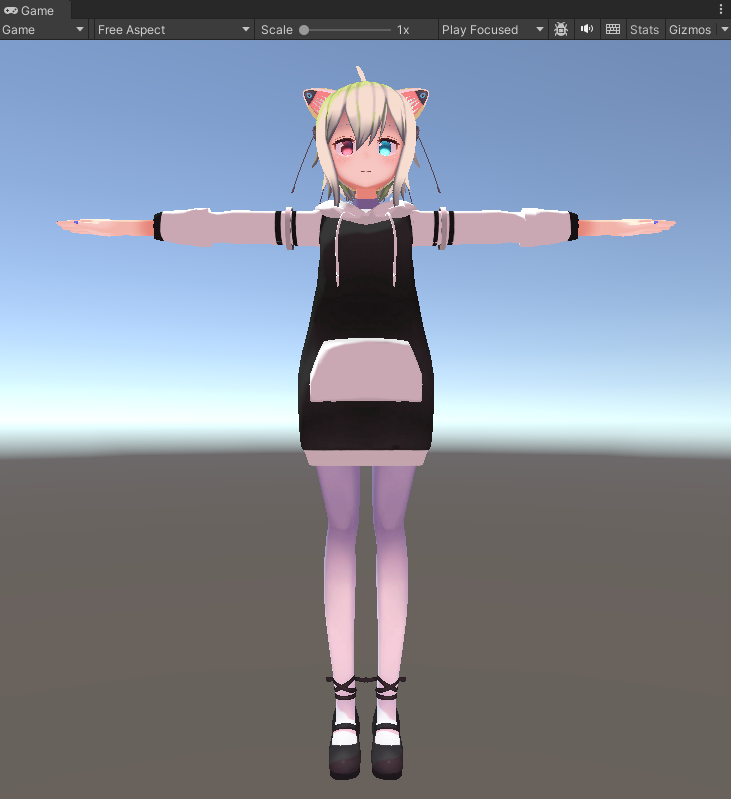
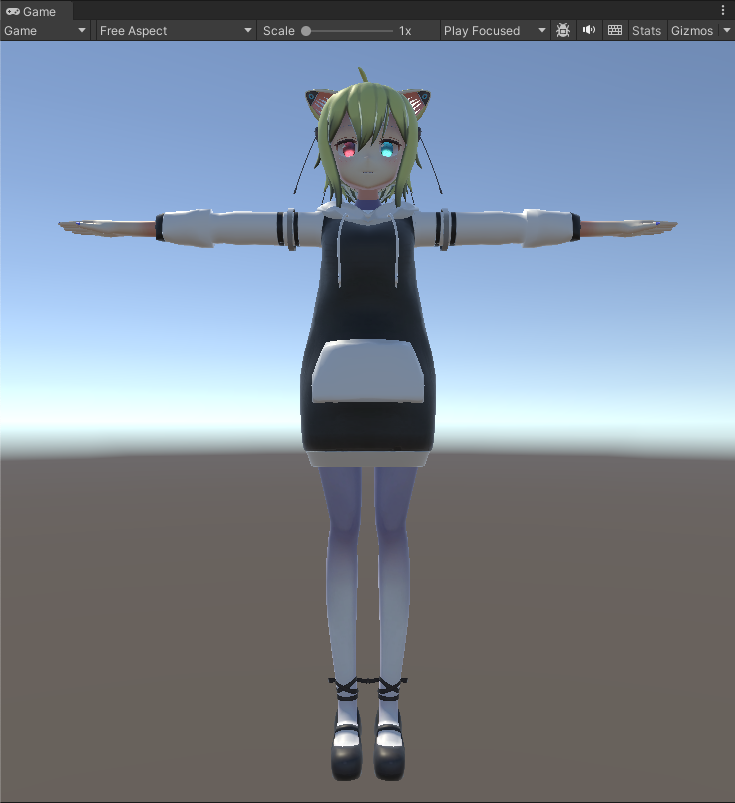
However, when the Lit shader is applied to anime-style avatars, it tends to appear more plastic and unnatural.
 |
 |
|---|---|
| Original Toon shader | Significant mismatch with Lit shader |
So, I wanted to use a Toon shader in visionOS, but as of April 2024, a suitable Toon shader for visionOS wasn't available.
Using an Unlit shader is another option, but it doesn't adapt to room lighting.
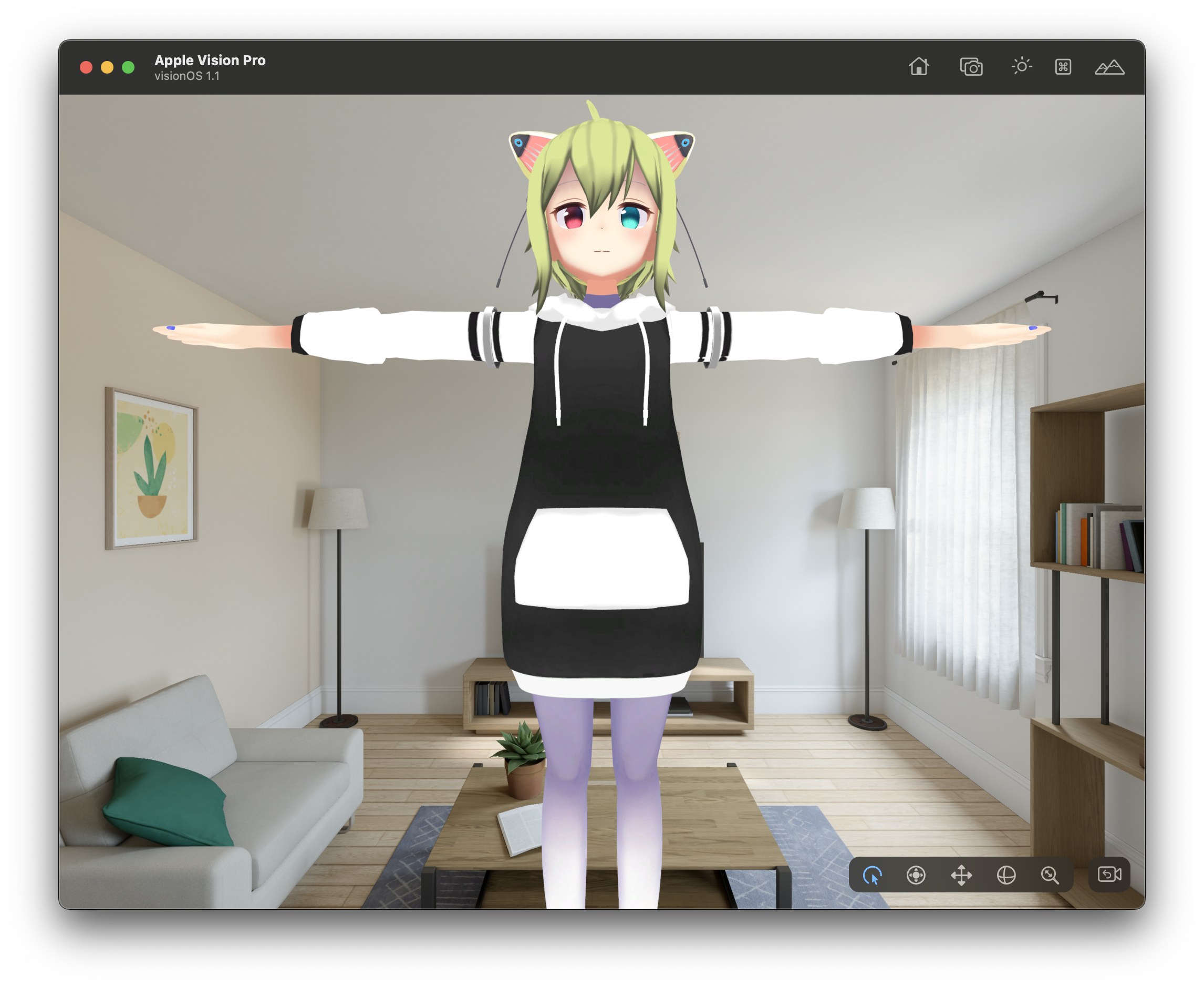 |
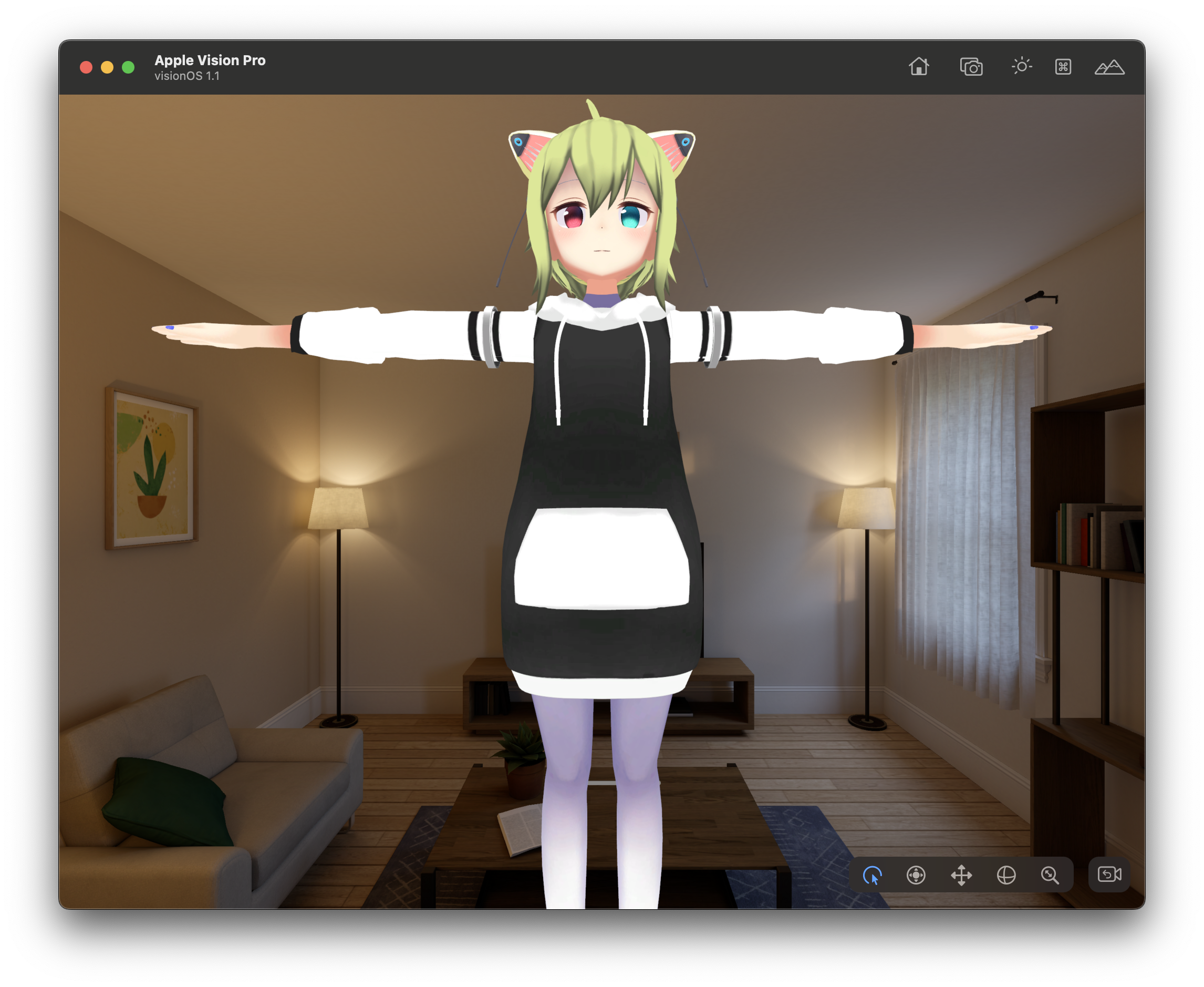 |
|---|---|
| Less mismatch in a bright room with Unlit shader | Significant mismatch in a dark room |
Therefore, I decided to create a new shader based on the Unlit shader that accommodates room lighting!
Development Environment
At the time of writing, the development was done in the following environment:
- macOS 14.2.1
- Unity 2022.3.19f1
- PolySpatial 1.1.6
- Xcode 15.3
- visionOS 1.1
Using PolySpatial Environment Radiance to Capture Room Brightness
The Diffuse Radiance output from the PolySpatial Environment Radiance node represents room brightness, including color information!
I created the following ShaderGraph to utilize this feature:
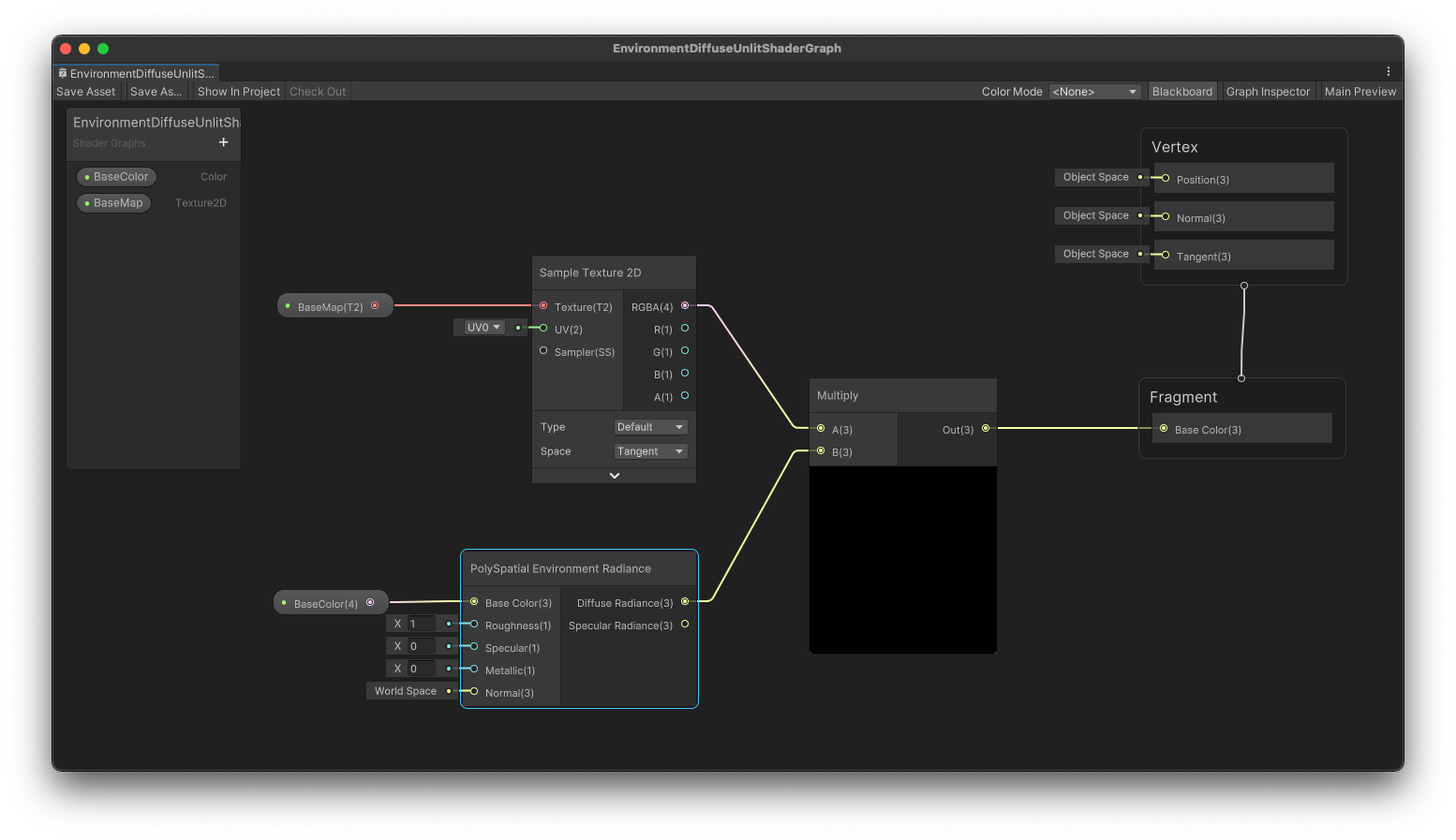
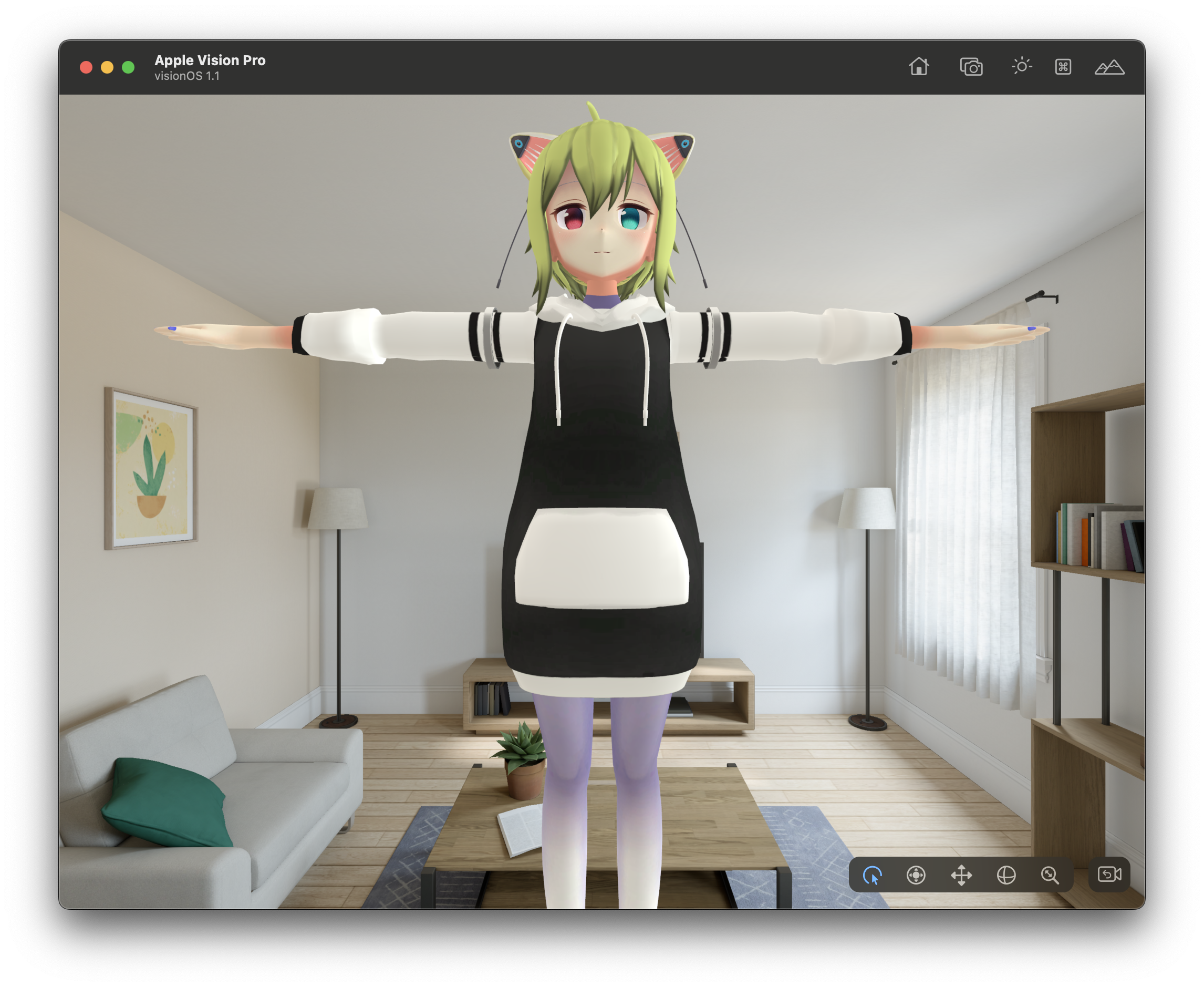
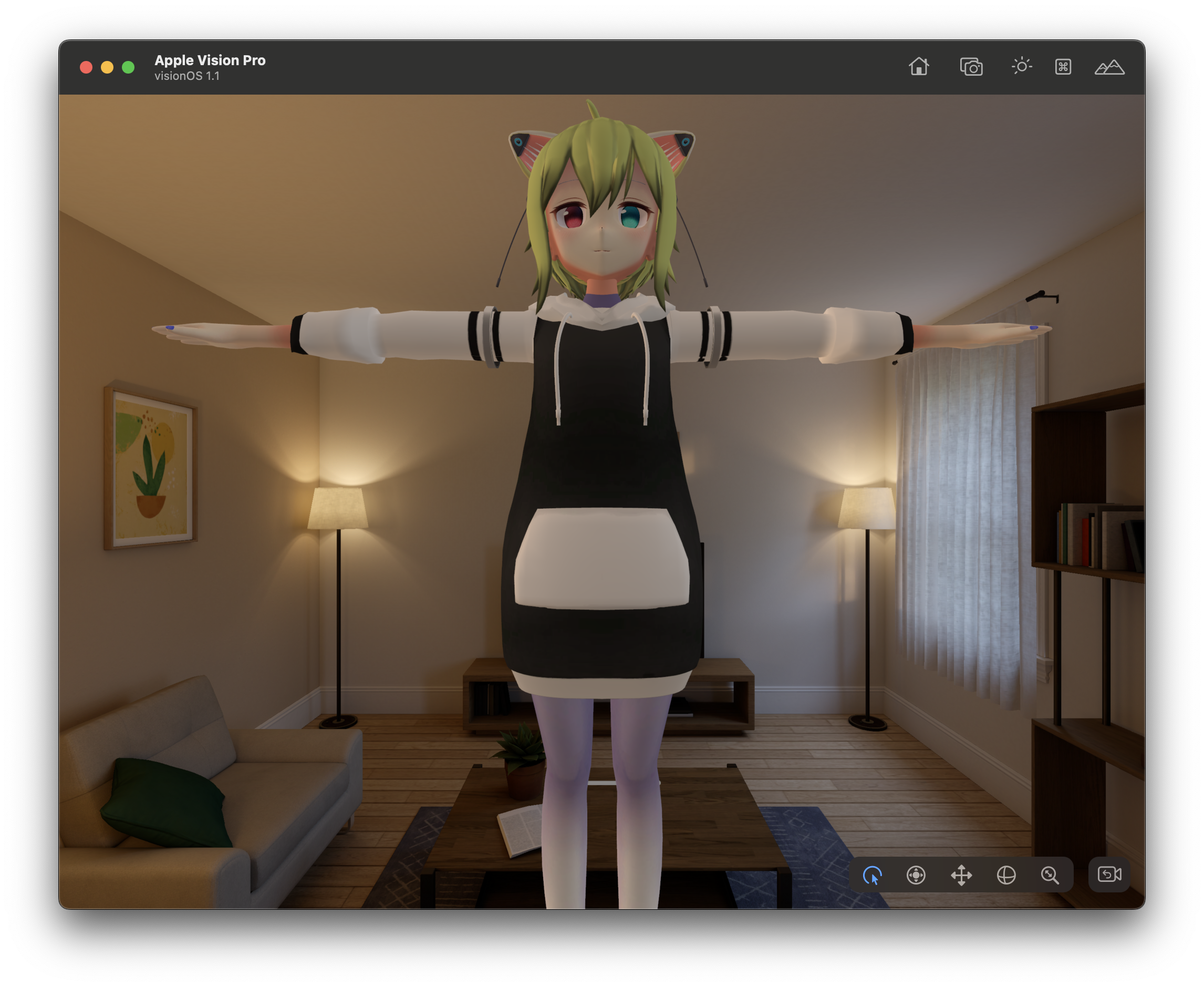
The process is straightforward: multiplying the color information extracted from a texture by the Diffuse Radiance value. This enabled room brightness to be reflected in the material as shown below:
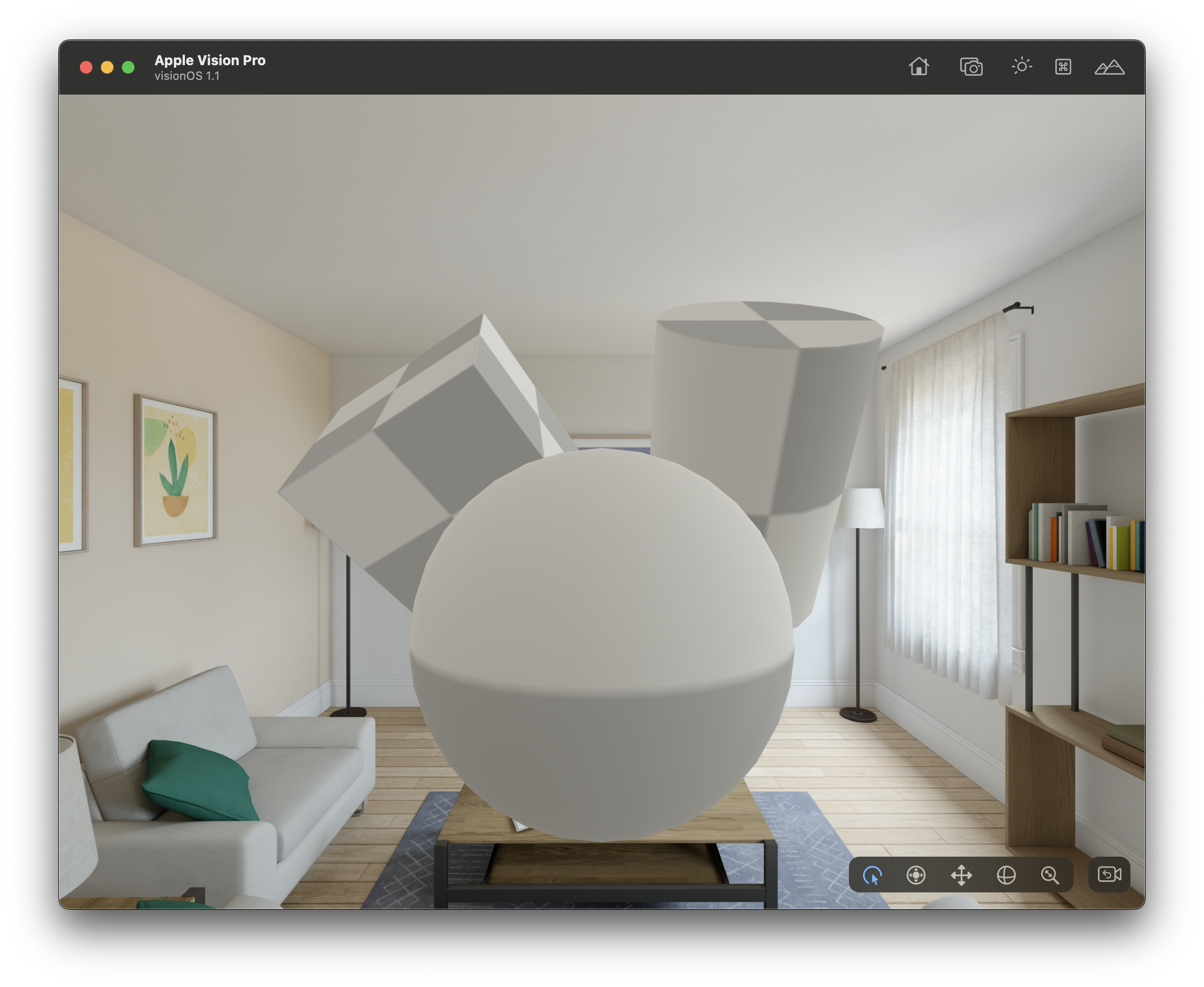 |
 |
|---|---|
 |
 |
With Diffuse Radiance, the material brightens in a bright room |
With Diffuse Radiance, the material darkens in a dark room |
Supporting Emission
To address the lack of Emission for eyes, I added the following processing:
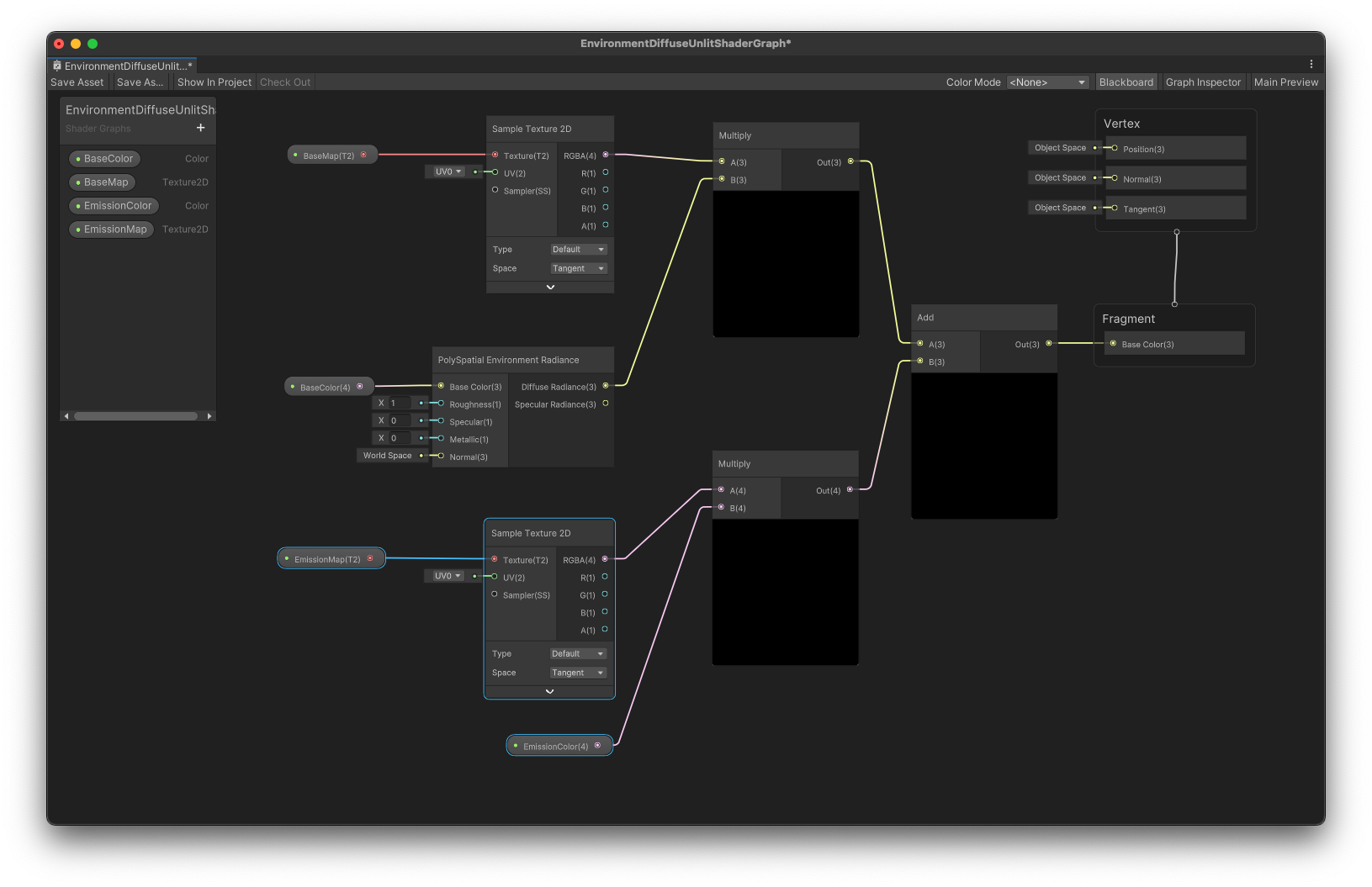
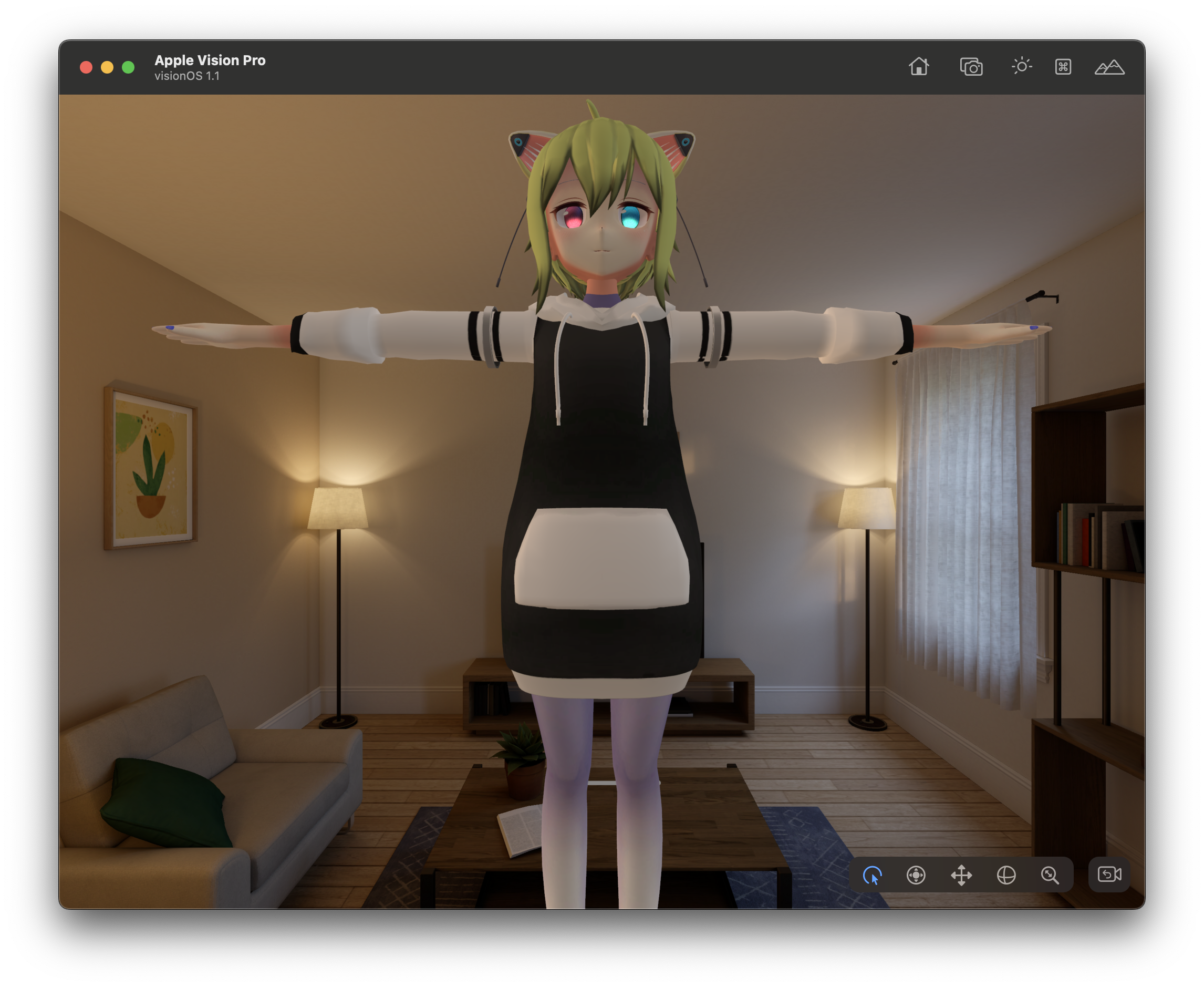
The eyes became slightly brighter!
|
 |
|---|---|
Without Emission |
With Emission |
This worked well on the actual Apple Vision Pro device!
#AppleVisionPro used to dance 1/8 scale VRM avatar! #栄VP is fun with many acrylic stands! The song is Bibideba!
— segur(せぎゅ)@ARエンジニア (@segur_vita) March 30, 2024
Thanks to the shader graph reflecting room brightness, discomfort in dark rooms is reduced!
Received well by members present! #VisionPro pic.twitter.com/rHEnF9L6TC
Sample Code
The ShaderGraph created for this project is shared here. Feel free to refer to it:
- https://gist.github.com/segurvita/4bd17d7769a51035d3ebd9a834a134d1
OpenUPM
The shader developed here is also available on OpenUPM! Please make use of it:
https://openupm.com/packages/com.segur.poly-spatial-environment-diffuse-shader/
Conclusion
The creation of this article was guided by the following pages. Thank you very much:
- https://docs.unity3d.com/Packages/com.unity.polyspatial.visionos@1.1/manual/PolySpatialLighting.html
- https://qiita.com/from2001vr/items/cdedbecfb91908cef0d7