Unity Shader fmod Function Rounding Error Mystery
This article is a translated version of my original post on Qiita. Original (Japanese): https://qiita.com/segur/items/14a25828b6ff6912b012
Using Unity for shader development can sometimes lead to unexpected results. In this article, I will share my experience with an issue caused by "rounding errors" when using the fmod function in shaders, and I'll provide a solution!
fmod Does Not Work Correctly!
Consider the following shader code:
Shader "Segur/FmodErrorStudy/Unlit"
{
    Properties
    {
        _InputInt("InputInt", Int) = 5
    }
    SubShader
    {
        Pass
        {
            CGPROGRAM
            #pragma vertex vert
            #pragma fragment frag

            int _InputInt;

            float4 vert(const float4 v:POSITION) : POSITION
            {
                return UnityObjectToClipPos(v);
            }

            fixed4 frag() : COLOR
            {
                // _InputInt is 5, so 5 * 5 should be 25.
                const float p1 = 5 * _InputInt;

                // The remainder of 5 divided by 25 should be 5. However, it seems to be around 4.99999.
                const float p2 = fmod(5, p1);

                // The remainder of 5 divided by 5 should be 0. However, it seems to be around 4.99999.
                const float p3 = fmod(p2, 5);

                // To verify the results, output to the R channel in the range of 0 to 1. The result should be black if it's 0.
                // However, since the actual result is red, it appears to be around 0.99999.
                return fixed4(p3 / 5, 0, 0, 1);
            }
            ENDCG
        }
    }
}
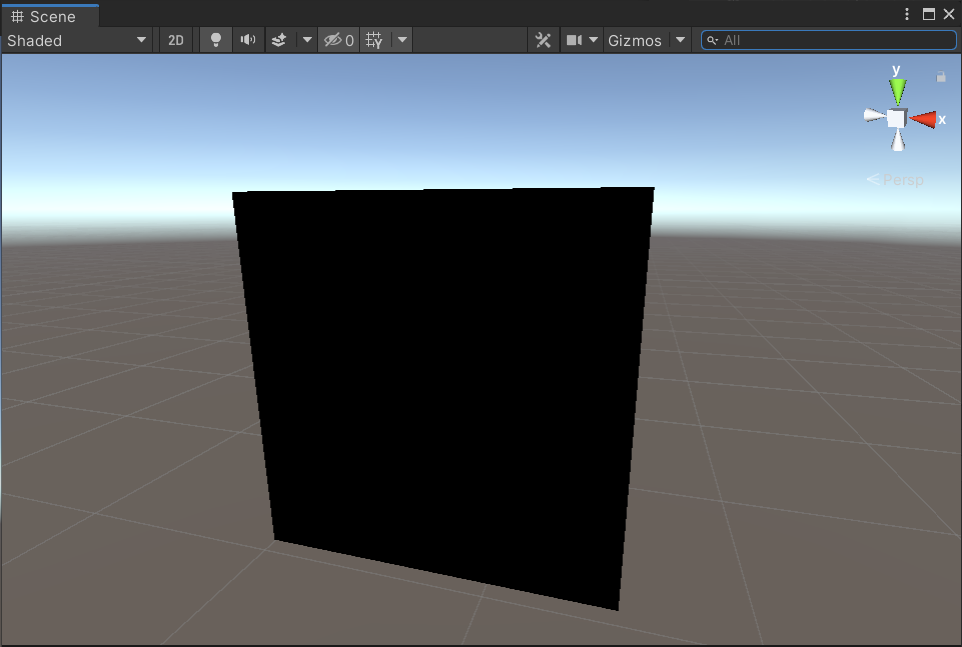
In theory, this code should render the surface black.
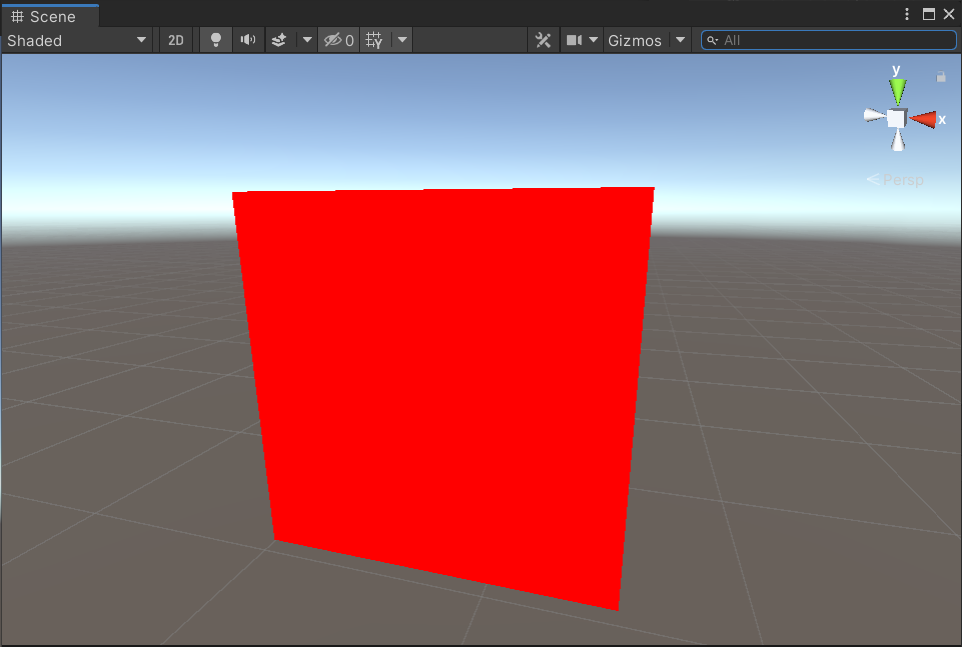
However, the reality is that it renders as red. You can verify this by trying it yourself.
 |
 |
|---|---|
| Expected to render black | Actually rendered red |
The Cause is Rounding Error
This problem is likely due to floating-point rounding errors. The fmod function tends to introduce errors in floating-point operations, leading to subtle differences between expected and actual results.
Here’s a flowchart of the code’s logic:
graph TD
    A["_InputInt = 5"] --> B["p1 = 5 * _InputInt"]
    B -->|Expected: p1 = 25, Actual: ?| C["p2 = fmod(5, p1)"]
    C -->|Expected: p2 = 5, Actual: p2 ≈ 4.99999| D["p3 = fmod(p2, 5)"]
    D -->|Expected: p3 = 0, Actual: p3 ≈ 4.99999| E["Output p3 / 5 to the R channel"]
    E -->|Expected: 0, Actual: ≈ 0.99999| F["Red is rendered instead of black"]
We expect p2 = fmod(5, p1) to result in 5 and p3 = fmod(p2, 5) to result in 0. However, p3 is not 0 but rather a value close to 5 (likely 4.99999), which causes the red color to be displayed.
Solving with round Function
To address this issue, I used the round function for rounding, ensuring the values passed to fmod are precise integers.
fixed4 frag() : COLOR
{
    const float p1 = 5 * _InputInt;
    const float p2 = fmod(5, p1);
    const float p3 = fmod(round(p2), 5); // Added round
    return fixed4(p3 / 5, 0, 0, 1);
}
This minimizes the impact of rounding errors from the fmod function, allowing the surface to render as expected in black! The round function effectively eliminates minor floating-point errors, stabilizing the calculation results.
Unexpected Behavior: Are Property-based Calculations Unstable?
Interestingly, if I initialize the variable within the frag function without using the _InputInt property, the shader renders black as expected even without round!
fixed4 frag() : COLOR
{
    const int localInt = 5; // Initialize int variable within the function
    const float p1 = 5 * localInt; // Changed _InputInt to localInt
    const float p2 = fmod(5, p1);
    const float p3 = fmod(p2, 5);
    return fixed4(p3 / 5, 0, 0, 1);
}
Why this works remains a mystery.
This suggests that calculations involving properties may be more unstable than expected, and relying on them for precision is not advisable.
In Conclusion
I hope this article helps anyone encountering similar issues.
I referred to the following page while creating this article. Thank you for the clear explanation!