Behind the AR Effects System of AIR RACE X 2024
This article is a translated version of my original post on Qiita. Original (Japanese): https://qiita.com/segur/items/2c36626fb0241d6df25c
Behind the AR Effects System of AIR RACE X 2024
Hello! This year, I participated in creating the AR content for "AIR RACE X 2024" as an engineer. In this article, I will introduce the Unity Editor extension tools we developed to improve the efficiency of AR content creation.
What is AIR RACE X?
AIR RACE X is a premier motorsport where pilots compete for the fastest time using remotely recorded data, reaching speeds of up to 400 km/h with up to 12G acceleration. The actual flight data is used to recreate the trajectory in AR, providing spectators with an immersive experience.
You can get a sense of what it's like by watching this video!
https://x.com/airrace_x/status/1847205425097347430
Aircraft animations and the time display as planes pass through gates are rendered in AR.
The company STYLY is responsible for creating this AR content. As an engineer within STYLY, I was involved in designing and developing the AR content auto-generation system.
Automating STYLY Scene Creation with Unity Editor Extensions
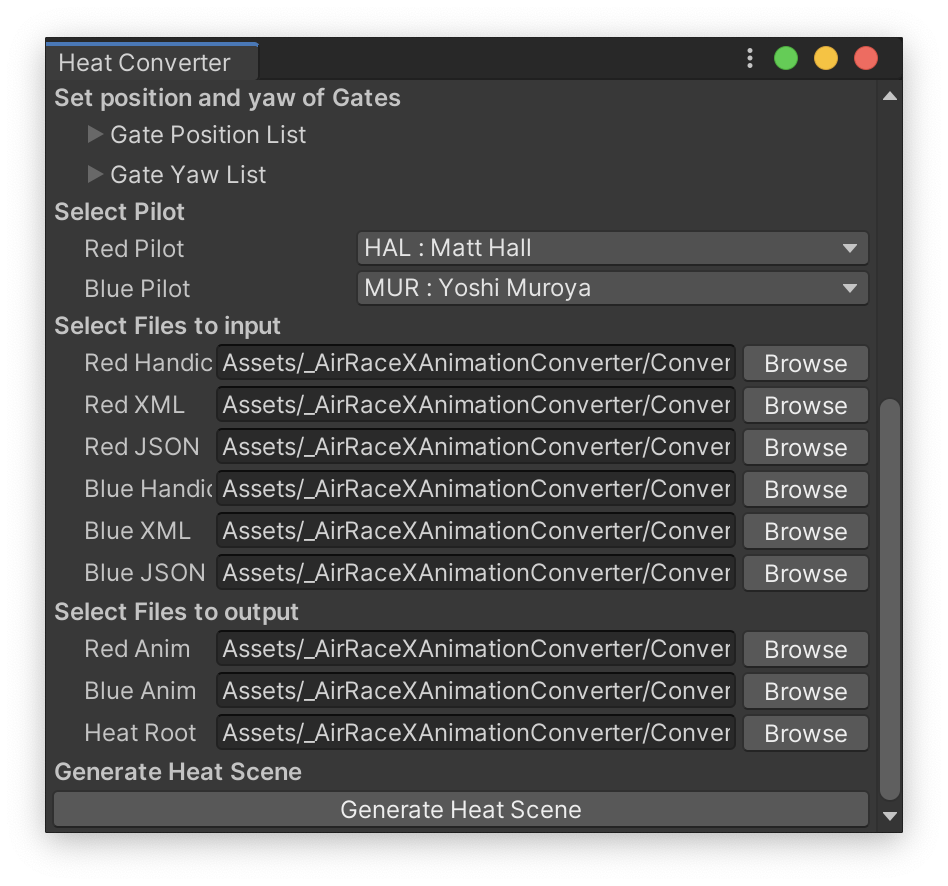
To improve the efficiency of AR content creation, we developed a Unity Editor extension tool like the one below:
 |
|---|
| GUI of the Unity Editor extension. This diagram is for explanatory purposes only and is not based on actual flight data. |
The extension allows you to specify which pilots are competing and which flight log files correspond to each pilot. After this is set, clicking the Generate Heat Scene button generates a prefab containing the AR content. Uploading this prefab to the STYLY platform makes it available for use as a STYLY scene.
Although the GUI design is simple, as it's an internal tool, it effectively enhances workflow efficiency.
Modular Division
Firstly, we divided the functions into prefabs called modules. Here is a selective introduction to some of them:
| Module Name | Role | Developer |
|---|---|---|
AirplaneModule |
Aircraft model and its animation | Developer A |
GateModule |
Gate passage effects | Developer B |
PenaltyModule |
Penalty occurrence effects | Developer A |
GoalModule |
Goal effects | Developer B |
By assigning programmers to different modules, we enabled parallel development.
These modules (prefabs) are not manually created but are automatically generated through C# code.
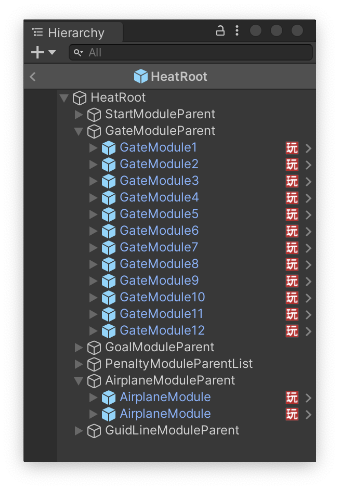
The completed modules become components of a higher-level prefab, as illustrated below:
 |
|---|
| How prefabs are assembled by modules |
Ultimately, a prefab that corresponds one-to-one with a STYLY scene is assembled automatically.
Flow of Flight Animation Generation
The AirplaneModule handles aircraft animation.
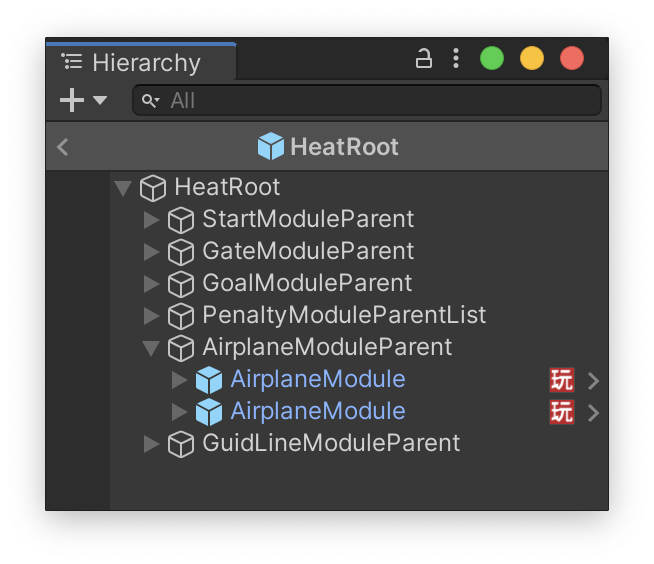
In AIR RACE X, the race format known as Heat involves two aircraft racing against each other, so AirplaneModule is deployed twice per race, as shown below:
 |
|---|
| Prefab constructed with two AirplaneModules for two pilots |
First, sensors attached to the aircraft output position and orientation data into files, referred to as log files in this article. Based on these log files, various transformations are performed, eventually generating AnimationClip files. These files, in turn, inform the generation of the AirplaneModule (prefab).
graph TD
    subgraph InputFiles[Input Files]
        XMLFiles[/Log Files<br>Aircraft Position & Orientation/]
    end

    subgraph Processing[Processing]
        Convert[Coordinate Transformation]
        Offset[Time Adjustment via Handicap]
        FileOutput[File Output]
    end

    subgraph Output[Output Files]
        AnimationClip[/AnimationClip<br>Aircraft Animation/]
        AnimatorController[/AnimatorController/]
        AirplaneModule[/AirplaneModule<br>Prefab for Aircraft Model and Animation/]
    end

    XMLFiles --> Convert --> Offset --> FileOutput

    FileOutput --> AnimationClip
    FileOutput --> AnimatorController
    FileOutput --> AirplaneModule

    AirplaneModule -.->|References| AnimatorController
    AnimatorController -.->|References| AnimationClip
The process of Time Adjustment via Handicap is needed to correct the influence of favorable or unfavorable weather conditions or wind directions experienced by different aircraft, which could create disparities. For example, if one plane flew in strong winds, the animation start time is adjusted to compensate fairly.
Flow of Gate Passage Effect Prefab Generation
The GateModule handles gate passage effects.
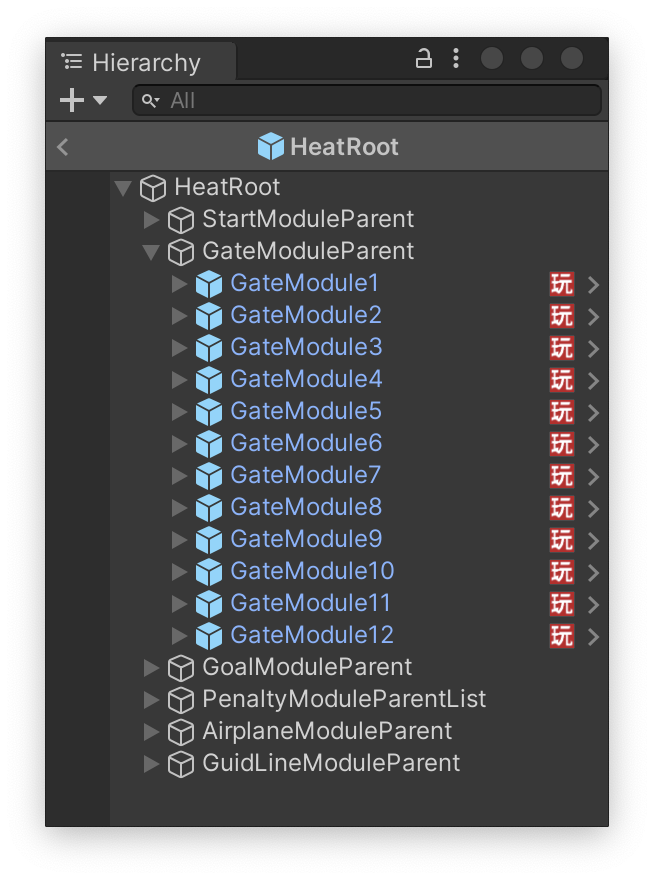
These modules are generated according to the number of gates in the race, resulting in numerous GateModules, as shown below. (The start gate and goal gate, which have different effects, are managed by other modules.)
 |
|---|
| GateModules deployed according to the number of gates passed in a race (excluding start and goal gates) |
One major challenge with this module is that it cannot be completed with data from just one pilot; it requires comparison of data from both pilots.
This requirement arises from the specification that the name and time of the pilot who passes first are displayed on the top line, while the next pilot's name is shown on the bottom line.
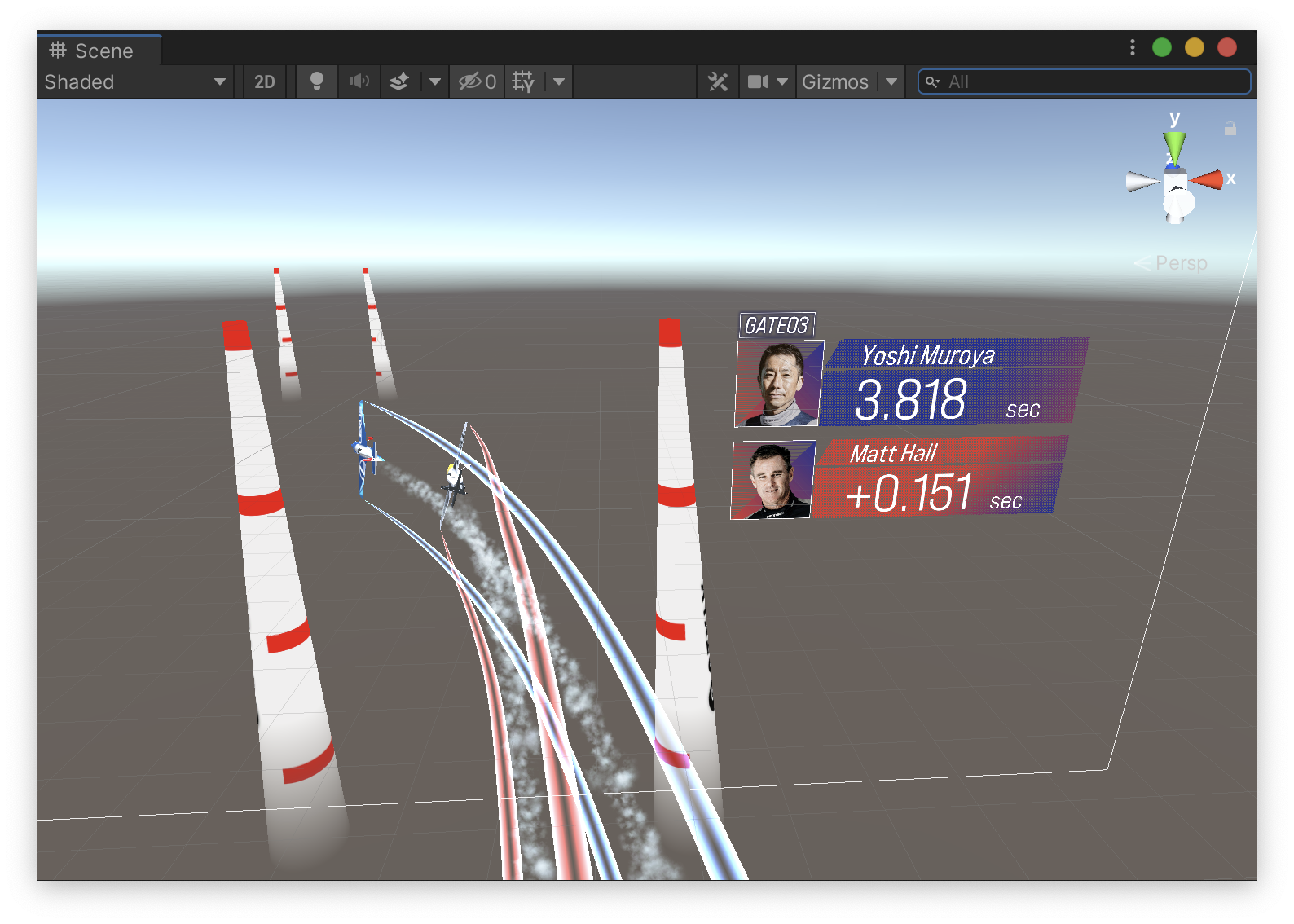 |
|---|
| The earlier passing pilot is displayed above, the next one below. This diagram is for explanatory purposes only and is not based on actual flight data. |
To achieve this specification, a single GateModule is generated from two input files, as illustrated below:
graph TD
    subgraph InputFilesA[Pilot A's Input Files]
        JsonFileA[/Pilot A's Log Files<br>Gate Passage Time Information/]
    end

    subgraph InputFilesB[Pilot B's Input Files]
        JsonFileB[/Pilot B's Log Files<br>Gate Passage Time Information/]
    end

    subgraph Comparing[Decision]
        ValidateDNF{Determine DNF}
        CompareTime{Compare Times}
    end

    subgraph Processing[Display Processing]
        DisplayDNF[Display Only Non-DNF<br>Pilot]
        DisplayA[Display Pilot A on Top<br>Pilot B on Bottom]
        DisplayB[Display Pilot B on Top<br>Pilot A on Bottom]
    end

    subgraph Output[Output Files]
        GateModule[/GateModule<br>Prefab for Gate Passthrough Effects/]
    end

    JsonFileA --> ValidateDNF
    JsonFileB --> ValidateDNF

    ValidateDNF -.->|One pilot deemed DNF| DisplayDNF
    ValidateDNF -.->|Neither pilot deemed DNF| CompareTime

    CompareTime -.->|Pilot A passes first| DisplayA
    CompareTime -.->|Pilot B passes first| DisplayB

    DisplayDNF --> GateModule
    DisplayA --> GateModule
    DisplayB --> GateModule
The term DNF Determination appears here. It refers to cases where a pilot cannot finish the race due to rules violations, like overshooting G-limits or speeding, or due to aircraft troubles. This affects gate time display effects, so this determination is made at this stage.
[^1]: More precisely, it's a DNF (Do Not Finish), rather than a withdrawal. Although "withdrawal" is not an accurate term for motorsport insiders, it's used here for clarity for Qiita readers. Thank you for your understanding.
Test Automation with TestRunner
We developed various modules, and test codes were written for almost all of them! We implemented 86 test codes using TestRunner.
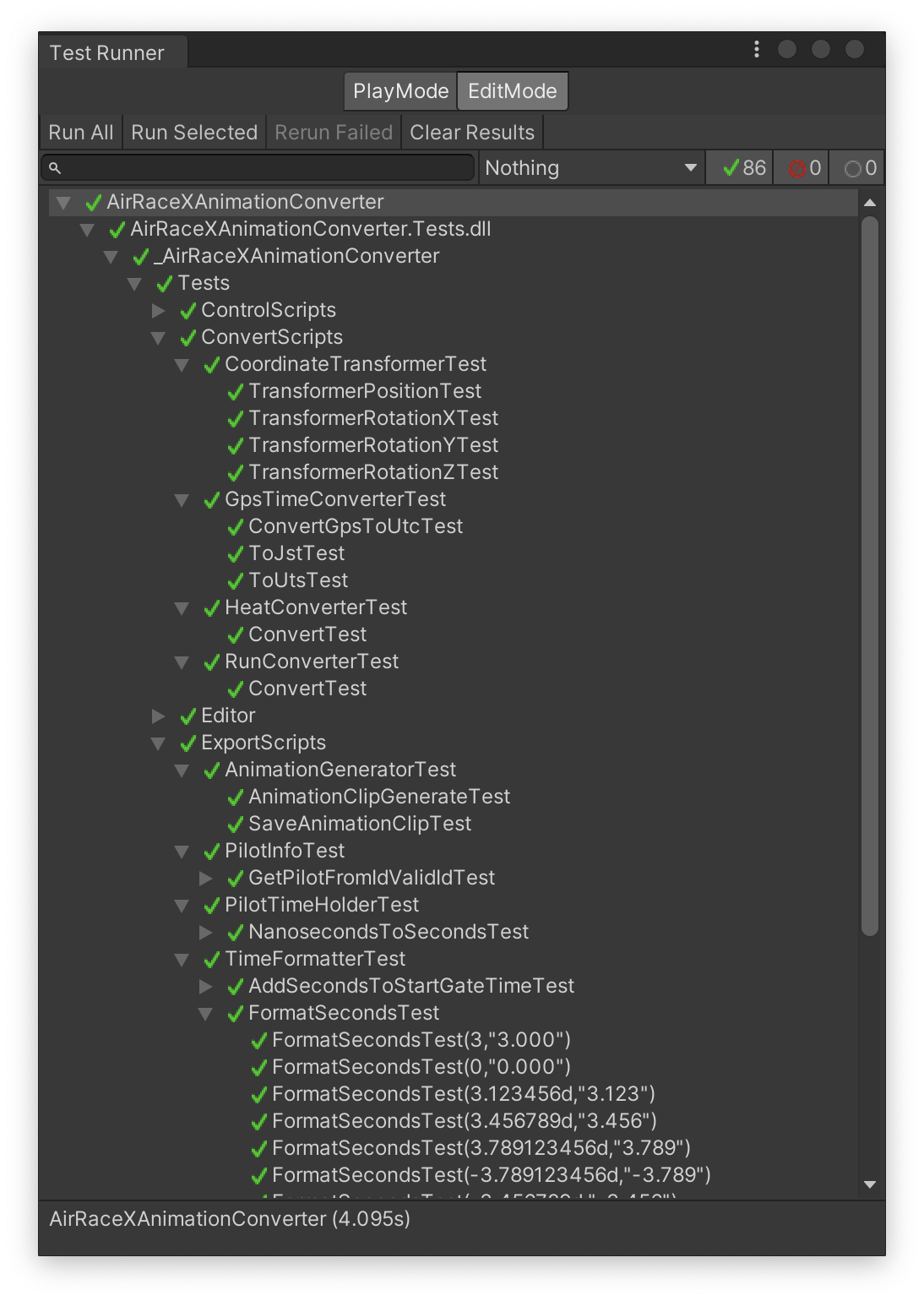 |
|---|
| All 86 tests passed successfully |
We ran all test codes every time a code change was made to quickly detect bugs. (Some bugs occurring outside the scope of these test codes were handled as separate issues.)
Here's a sample test code.
For instance, the test code for a function that converts the time value to a string suitable for gate display is as follows:
using _AirRaceXAnimationConverter.Scripts.ExportScripts;
using NUnit.Framework;

namespace _AirRaceXAnimationConverter.Tests.ExportScripts
{
    public class TimeFormatterTest
    {
        [TestCase(3, "3.000")]
        [TestCase(0, "0.000")]
        [TestCase(3.123456, "3.123")]
        [TestCase(3.456789, "3.456")]
        [TestCase(3.789123456, "3.789")]
        [TestCase(-3.789123456, "-3.789")]
        [TestCase(-3.456789000, "-3.456")]
        [TestCase(60, "60.000")]
        [TestCase(123.456123, "123.456")]
        public void FormatSecondsTest(double input, string expectedOutput)
        {
            var actual = TimeFormatter.FormatSeconds(input);
            Assert.That(actual, Is.EqualTo(expectedOutput));
        }
    }
}
namespace _AirRaceXAnimationConverter.Scripts.ExportScripts
{
    public static class TimeFormatter
    {
        /// <summary>
        /// Truncates milliseconds
        /// </summary>
        /// <param name="seconds">Seconds</param>
        /// <returns>Time in seconds</returns>
        public static float TruncateToMilliseconds(double seconds)
        {
            if (seconds >= 0)
            {
                return (float)Math.Floor(seconds * 1000) / 1000.0f;
            }

            return (float)Math.Ceiling(seconds * 1000) / 1000.0f;
        }

        /// <summary>
        /// Formats seconds to a string for time display
        /// Truncates milliseconds
        /// </summary>
        /// <param name="seconds">Seconds</param>
        /// <returns>Formatted time string</returns>
        public static string FormatSeconds(double seconds)
        {
            var roundedSeconds = TruncateToMilliseconds(seconds);
            return roundedSeconds.ToString("F3");
        }
    }
}
Essentially, it displays up to the third decimal place, truncating any further digits, and zero-padding if there are insufficient decimal places.
Some might say, "If that's all, you could just use ToString("F3");, and there's no need for a function or such detailed test code!" While there might be truth to that, such fine-tuned requirements can change depending on client needs. (Some have indeed changed.)
For instance:
- Should digits beyond the fourth decimal be rounded up, down, or rounded to the nearest value? How should negative values be handled?
- Should values exceeding 60 seconds be expressed as
mm:ss? - Should a minus sign be displayed for negative values, or should another form of expression be used?
To accommodate these potential changes flexibly, even these detailed processes should be made into a function, with unit tests written. This is paramount.
In Conclusion
This was a story about creating Unity Editor extension tools to increase efficiency in AIR RACE X's AR content production!
I would like to extend my gratitude again to my colleagues who joined me in this development effort. Thank you very much!
I hope this article inspires your projects and tool development.
These resources were referenced in writing this article. Thank you for the invaluable information.