Massive 'Texture is not found' Errors When Installing PLATEAU SDK in Unity
This article is a translated version of my original post on Qiita. Original (Japanese): https://qiita.com/segur/items/2c6cb55409cedbb13728
Issue
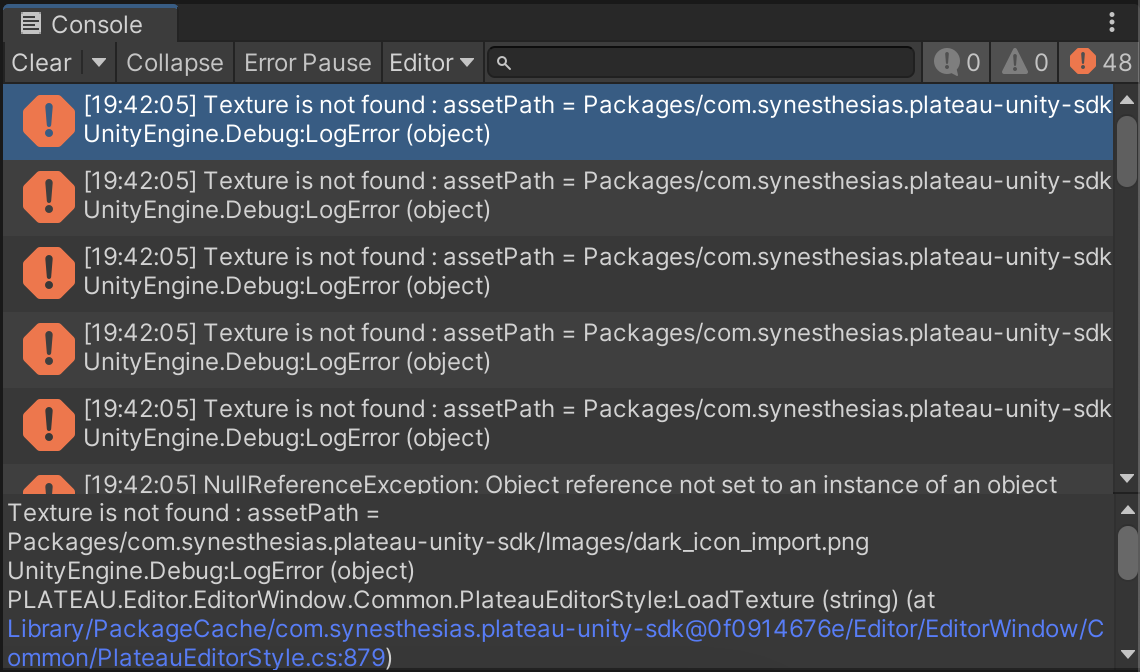
When installing PLATEAU SDK 2.3.2 using a Git URL, numerous errors like the one below appeared in the Console:
Texture is not found : assetPath = Packages/com.synesthesias.plateau-unity-sdk/Images/dark_icon_import.png
UnityEngine.Debug:LogError (object)
PLATEAU.Editor.EditorWindow.Common.PlateauEditorStyle:LoadTexture (string) (at Library/PackageCache/com.synesthesias.plateau-unity-sdk@0f0914676e/Editor/EditorWindow/Common/PlateauEditorStyle.cs:879)
I use two PCs: the errors occurred only on the freshly set up PC, not on the one originally used for the project.
Cause
Upon investigation, I found the following helpful page:
https://github.com/Project-PLATEAU/PLATEAU-SDK-for-Unity/issues/5
It turns out I simply forgot to enable Git LFS on the new PC. (Quite embarrassing...)
Solution
Run the commands below to enable the download of large files:
git lfs install

git lfs pull
After reinstalling the PLATEAU SDK, the errors were resolved!
In Conclusion
I referred to the page below while preparing this article. Thank you for the resource.
- https://github.com/Project-PLATEAU/PLATEAU-SDK-for-Unity/issues/5